
Ah I have one of those. I also have yardstick one and a hackrf portapack along with a Nooelec SDR stick if any of those things are helpful.
>: subghz decode_raw /any/subghz/power_smart/41/btn1down/1.sub
SubGhz test: Load_keystore OK
Listening at /any/subghz/power_smart/41/btn1down/1.sub.

Press CTRL+C to stop

Power Smart 64bit
Key:0x550337AD02FCC853
Btn:0
Power Smart 64bit
Key:0x550337AD02FCC853
Btn:0
Power Smart 64bit
Key:0x550337AD02FCC853
Btn:0
Power Smart 64bit
Key:0x550337AD02FCC853
Btn:0
Power Smart 64bit
Key:0x550337AD02FCC853
Btn:0
Power Smart 64bit
Key:0x550337AD02FCC853
Btn:0
Power Smart 64bit
Key:0x550337AD02FCC853
Btn:0

Packets recieved 7

>: subghz decode_raw /any/subghz/power_smart/41/btn1stop/1.sub
SubGhz test: Load_keystore OK
Listening at /any/subghz/power_smart/41/btn1stop/1.sub.

Press CTRL+C to stop

Power Smart 64bit
Key:0x558337AD027CC853
Btn:0
Power Smart 64bit
Key:0x558337AD027CC853
Btn:0
Power Smart 64bit
Key:0x558337AD027CC853
Btn:0
Power Smart 64bit
Key:0x558337AD027CC853
Btn:0
Power Smart 64bit
Key:0x558337AD027CC853
Btn:0
Power Smart 64bit
Key:0x558337AD027CC853
Btn:0
Power Smart 64bit
Key:0x558337AD027CC853
Btn:0

Packets recieved 7

>: subghz decode_raw /any/subghz/power_smart/41/btn1up/1.sub
SubGhz test: Load_keystore OK
Listening at /any/subghz/power_smart/41/btn1up/1.sub.

Press CTRL+C to stop

Power Smart 64bit
Key:0x558336AD027CC953
Btn:0
Power Smart 64bit
Key:0x558336AD027CC953
Btn:0
Power Smart 64bit
Key:0x558336AD027CC953
Btn:0
Power Smart 64bit
Key:0x558336AD027CC953
Btn:0
Power Smart 64bit
Key:0x558336AD027CC953
Btn:0
Power Smart 64bit
Key:0x558336AD027CC953
Btn:0

Packets recieved 6

>:
so accepts, it is necessary to make another sending and parsing.
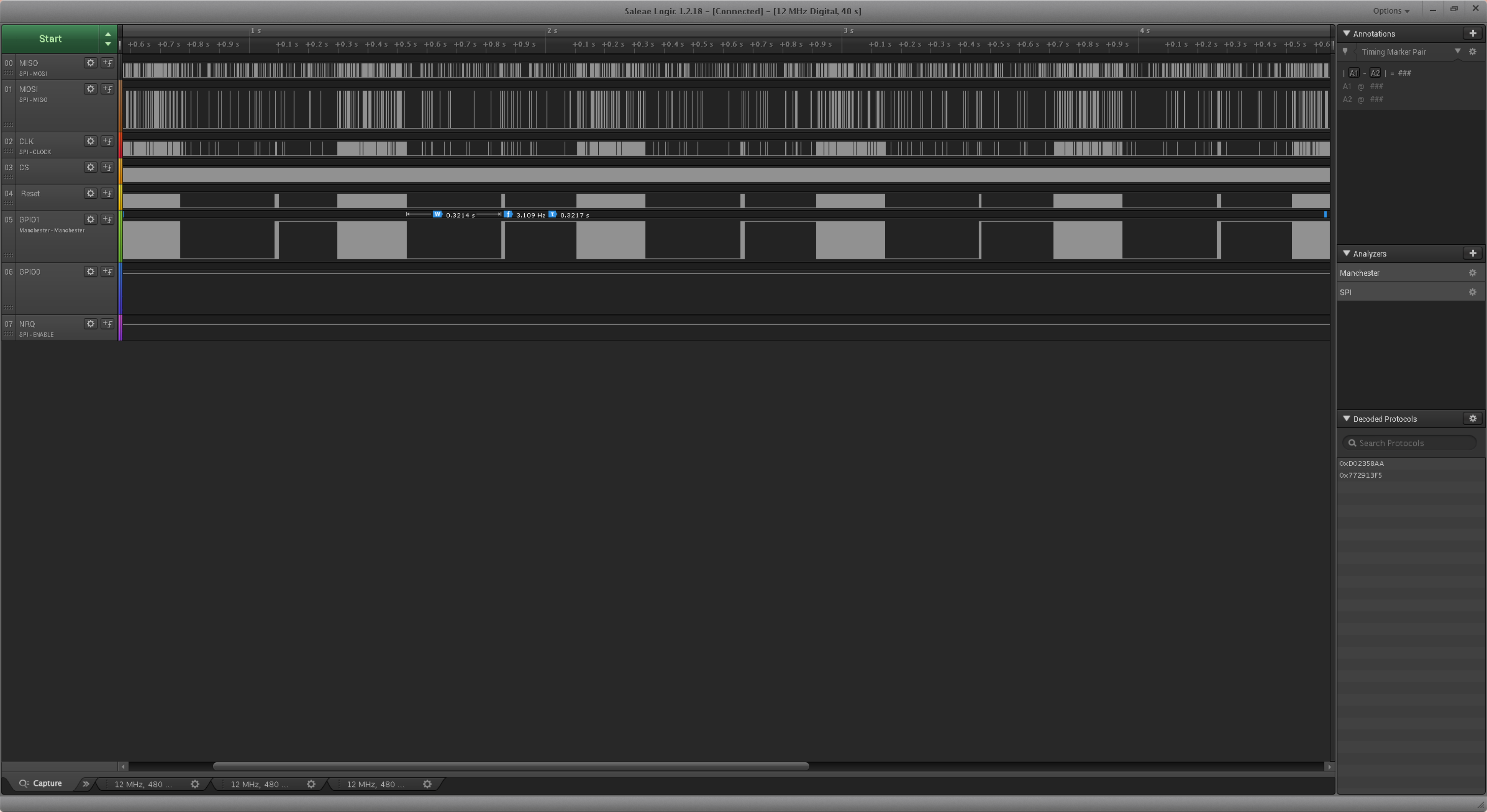
program Logic 1.2.18, but this will not give you much. it is not intended for this and just like that it cannot be connected to a flipper
So you can now make it decode on the flipper but it will need more work to be able to transmit it?
Do you need any more captures or information from me?
Thanks
I need more recording of different remotes, with different combinations of button presses. cheto I can not understand what bits are encoded buttons. but at the same time, the packet format and checksums are already clear, it is already possible to receive a signal, save it, and in theory reproduce it, but with decryption it is not completely clear
1 Like
Ok I will capture more today. I will do it the same as the long press capture I did which got a capture of the each button held down until the sequence stopped transmitting. I can do that easily enough for every single channel and button across the 3 remotes. I might even hook the logic Analyzer up to receiver chip output pin on the control unit and see what that captures alongside the flipper.
no need to connect. but the long-term rattling of all the buttons and in different combinations, and in particular DIFFERENT paths, is what you need. 10 presses of each button is not enough for 2
Will do
Remote 1 Long Captures.zip (197.3 KB)
Remote 2 Long Captures.zip (190.2 KB)
I have captured all the channels on the other 2 remotes now. I have held the button until the pattern stops repeating for each channel and button and done that twice.
Check pls
You still need to figure out the buttons … but check how it saves and transmits.
add parsing btn, serial
I couldn’t get the first version of the firmware to build.
I worked on setting up the docker environment and then saw you had pushed some changes.
The latest version compiled with docker and I have flashed it and tested it.
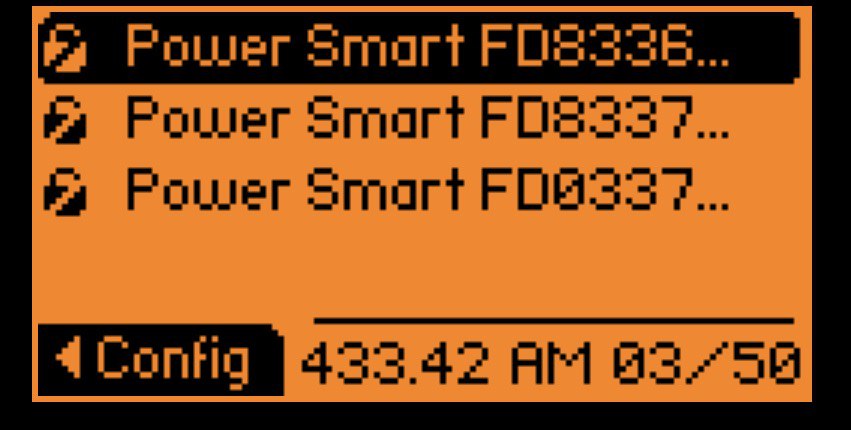
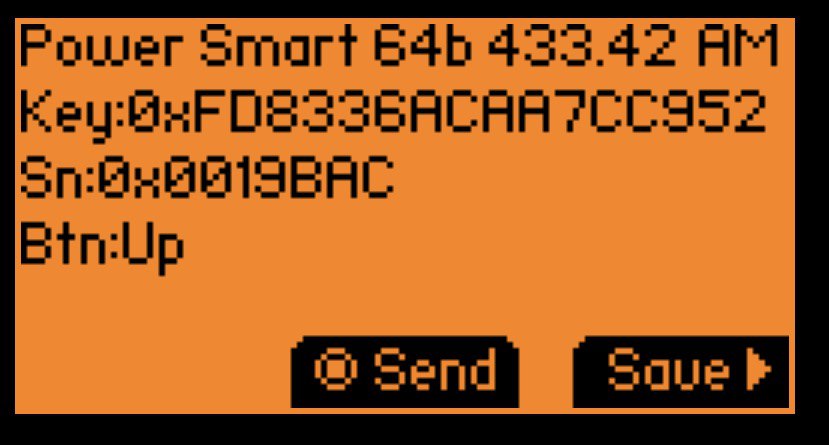
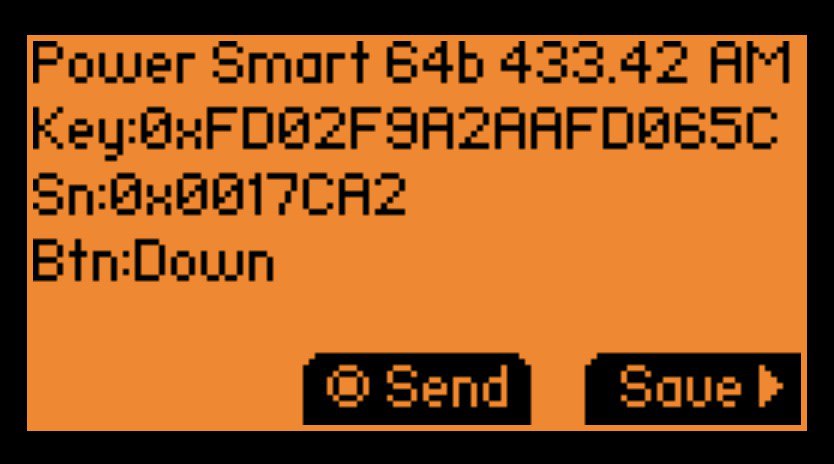
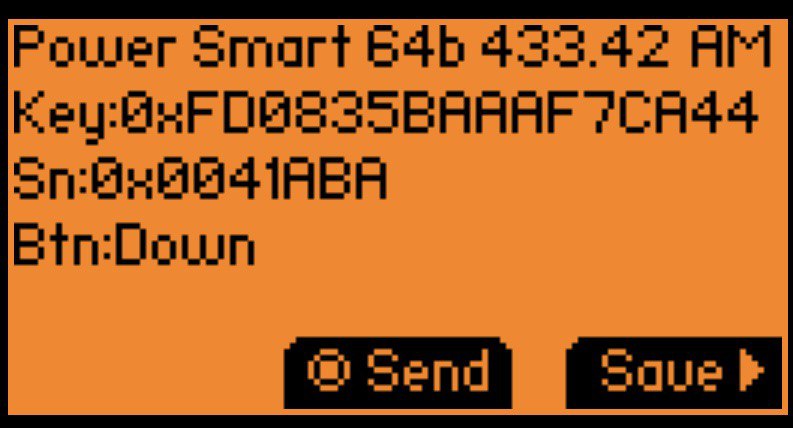
The button presses capture and replay
I just found the install link that is on the pull request.
That wasn’t there when it wouldn’t build earlier  could have saved myself the hassle of compiling it myself. At least I can now if I make my own changes haha.
The most important question! does the automation accept from emulated parcels? Does the long hold work, does the shutter role twitch or does it operate smoothly?
I didn’t test the long hold because I don’t use it like that. The shutter moved smoothly. I will test the long hold now though.
Well, I need feedback from you, is it working or not? because I can’t check. guessing from a photo
As mentioned in the post with the pictures “The button presses capture and replay” it was able to send correctly from the button captures in the picture. I have now tested with the long press and it captures the long press as 6 individual events which makes sense to me as the signal just repeats. You only need to send the one event.
here I did not understand you. what’s wrong.
according to your long record, I see that there is a repeating burst of pulses (each sends a code 8 times), the bursts go constantly in half a second.
how is it really needed?
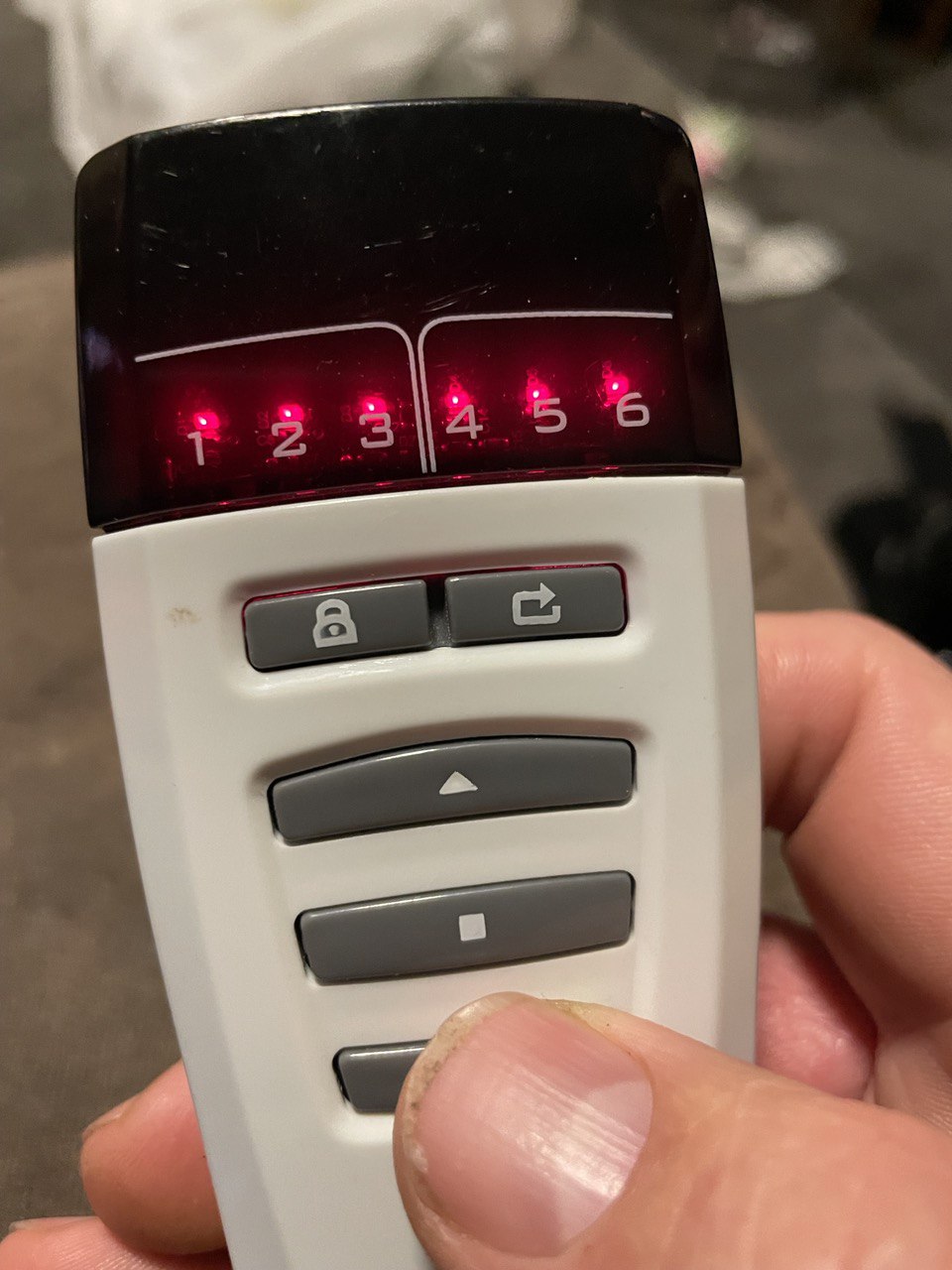
I used all the channels at once on remote 3 and pressed the up stop and down events and they captured as the codes below. It appears they replayed correctly as well.
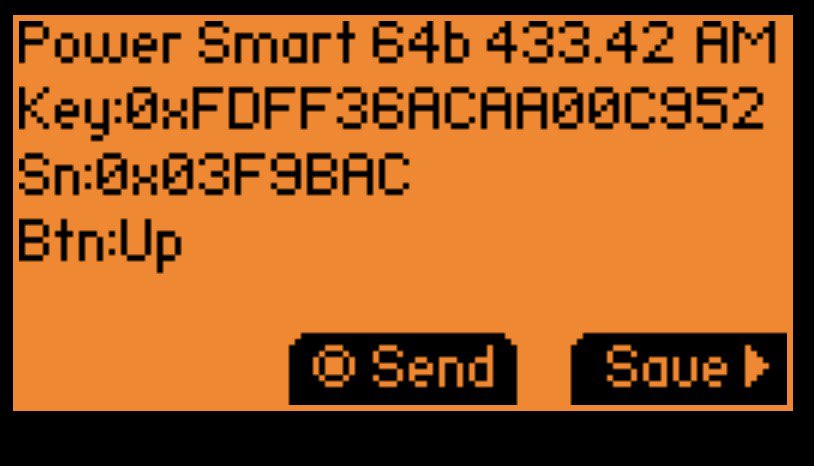
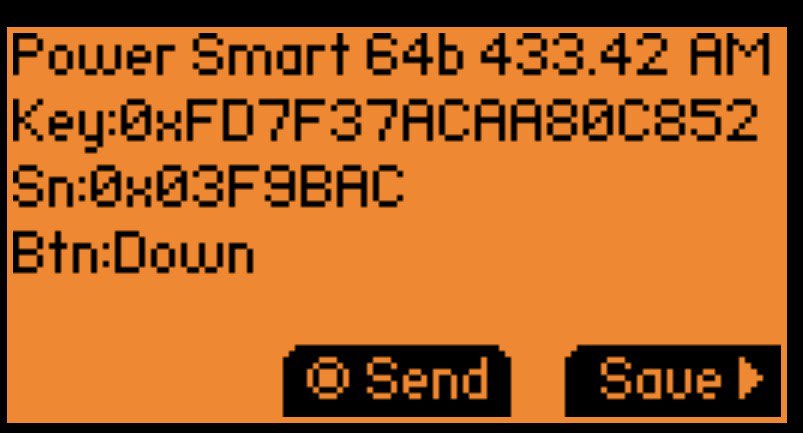
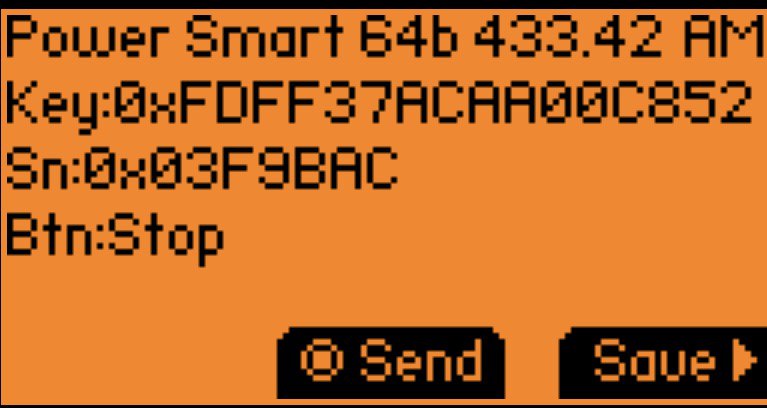
The capture of a short press works perfectly for playback. The long press is not needed. Nothing is wrong.
So there you can send to several channels at the same time?